
Updated: Oct 19, 2026
Integration guide
TalksTry API Guide – From nothing to a delivered message.
Every screen you will pass through, in order, with the call that each one unlocks. You create a developer account with your email, build on the sandbox, then finish Go live and add money to send to real customers. The code is the same for both — build on the sandbox, swap the key, ship.
Sandbox first, then live
Sandbox — for trying it
- · Sign up in the developer console with your email. A sandbox key is issued the moment the code is verified — no application, no review.
- · Free. Defaults to 20 requests a minute and 500 messages a day.
- · Reaches only the test numbers you list (up to five), each a TalksTry account.
- · Needs a sender profile, like live does.
Live — for shipping it
- · Finish Go live: accept the API policy and verify your domain. You go live as soon as both pass — no application.
- · Messages are paid for from your wallet (top up by UPI, card or net banking), or covered by a plan.
- · Starts on Tier 1 — by default 1,000 different people a day, rising as your sending stays clean.
- · Media, marketing wording and anything outside the 24-hour window go through approved templates.
Create your developer account
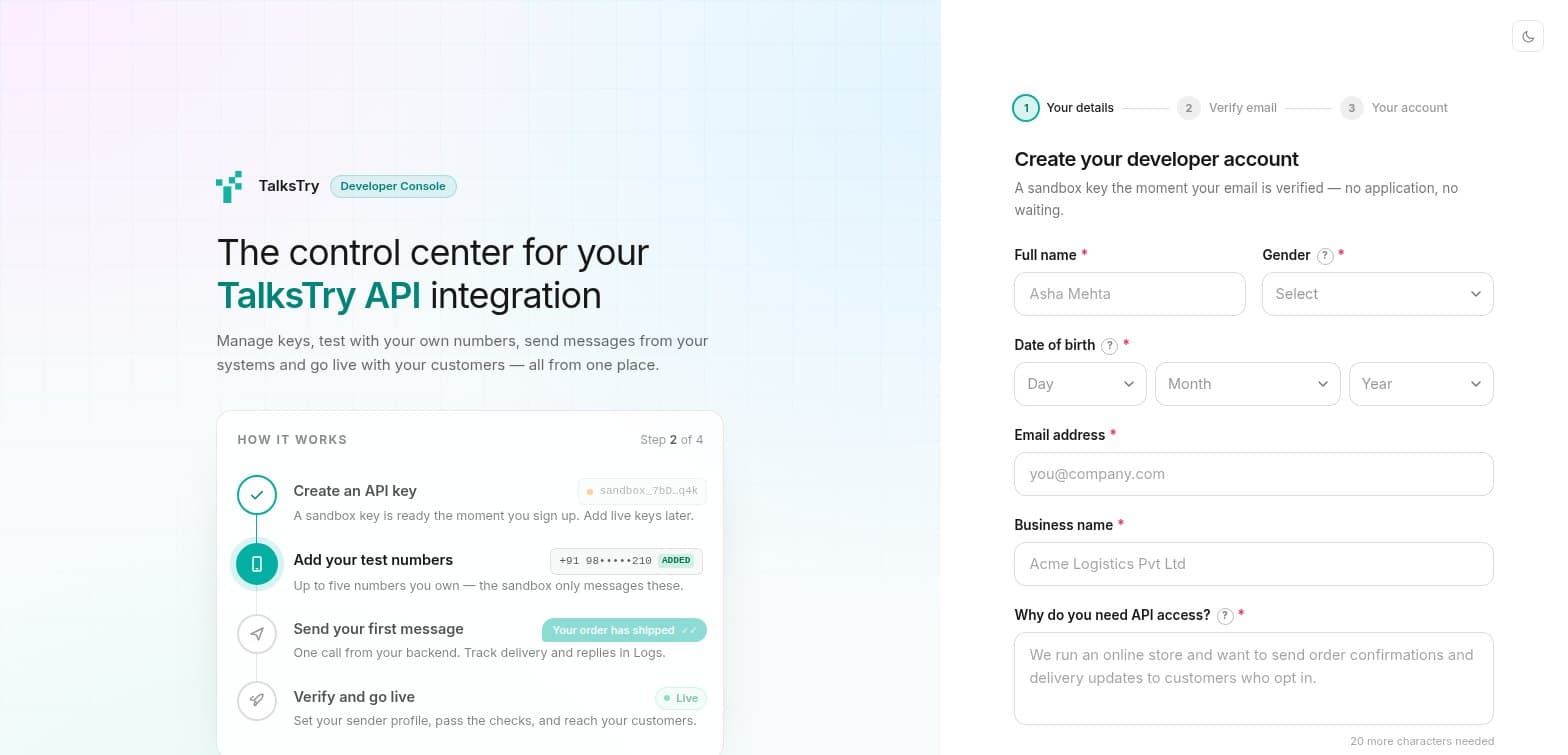
SandboxOpen the developer console and choose Create new account. Give your name, email and business name and say what you are building, then enter the one-time code sent to your email. The account exists the moment the code is verified, a sandbox key is issued on the spot, and your sign-in details are emailed to you — change the password once you are in.
There is no application and no waiting. Going live later is a checklist you complete yourself (step 10), not a review.
Create your sender profile
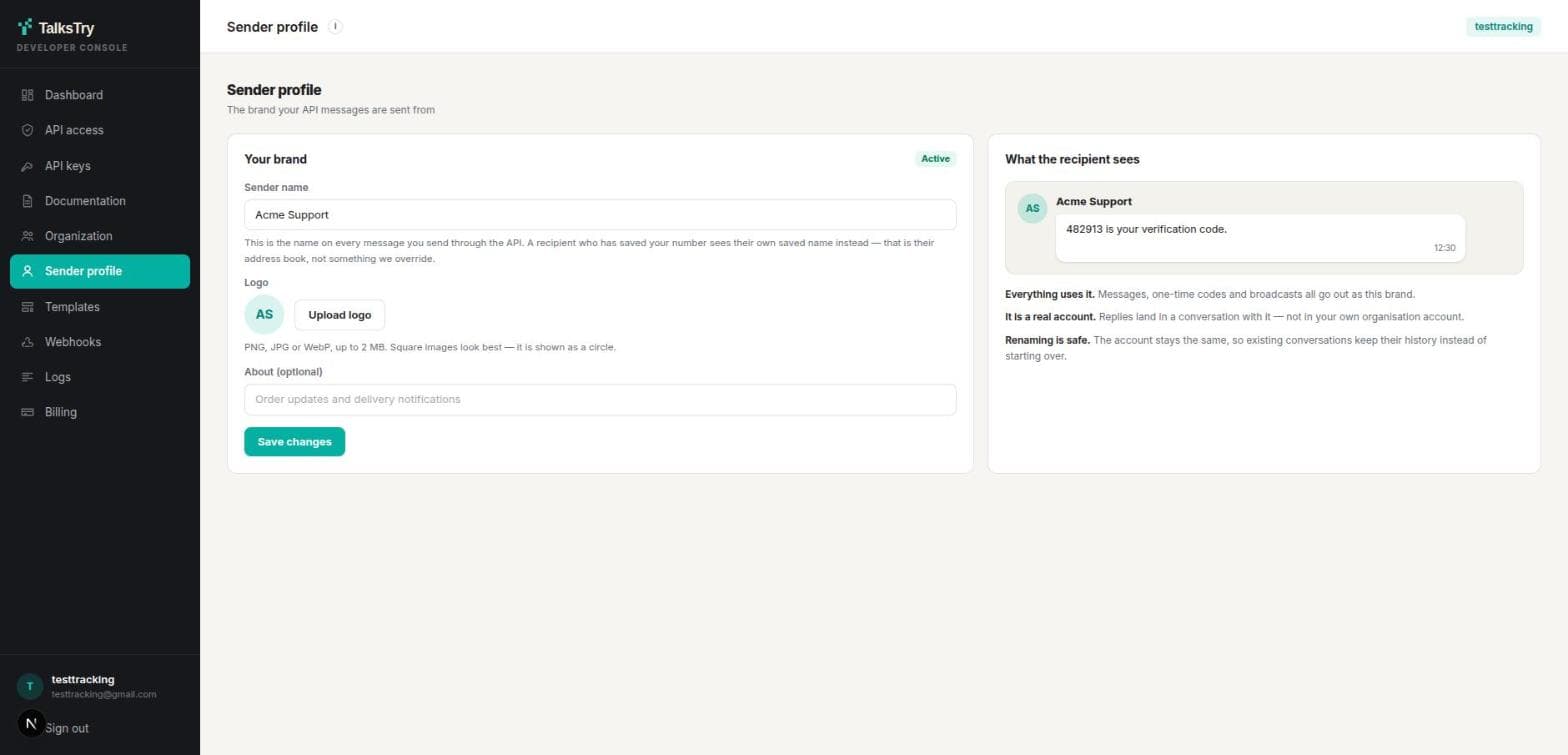
BothThis is the brand your messages are sent from — not the account you log into the console with. Set a name and a logo, and every message, one-time code and broadcast carries them.
This is a precondition, not a nicety: until a sender profile exists, every send — sandbox and live — is refused with 403 sender_profile_required. Renaming later is safe — the underlying account stays the same, so existing conversations keep their history. Each project has its own sender profile; the one you set up here belongs to your first project.
Generate an API key and add test numbers
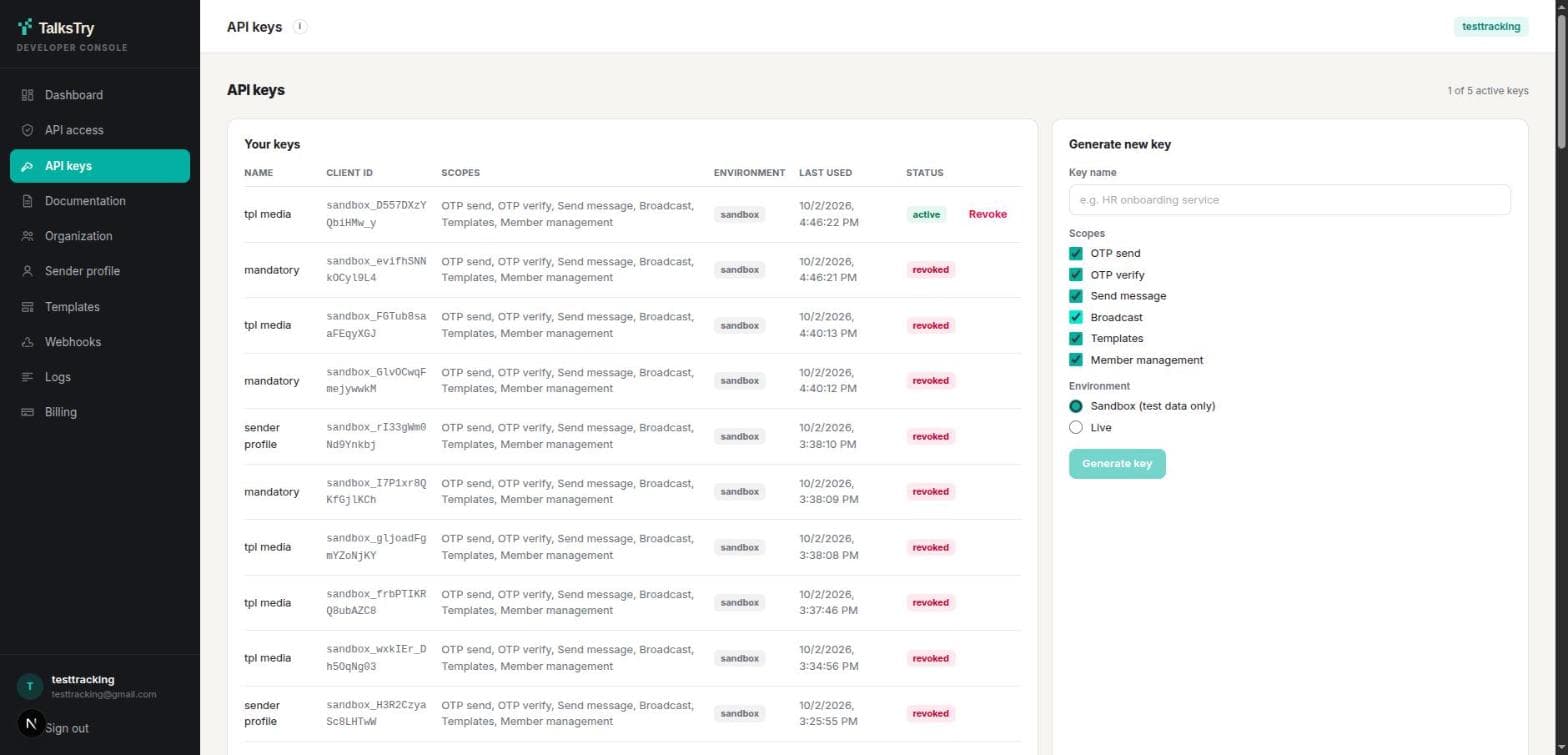
BothA key is a client id and a client secret. The secret is displayed once — put it straight into your secret store. If it is lost, revoke the key and make another; there is no way to read it back.
Give each system its own key. Revoking one then stops that system and nothing else, and the logs tell you which key made which call. You can hold five active keys in total.
Below your keys, add the numbers a sandbox key may message — up to five, each a registered TalksTry account. Your own number is not one of them, because a message cannot be sent to the account sending it. A sandbox message is a real message and arrives in that person's chat, which is why the list exists. Anything else comes back as sandbox_recipient_not_allowed.
Swap the key for an access token
BothYour client secret travels on this one call and nowhere else. What comes back is a bearer token good for an hour — cache it, and fetch a new one when it expires rather than once per message.
curl -X POST /v1/auth/token \
  -H "Content-Type: application/json" \
  -d '{
    "grant_type": "client_credentials",
    "client_id": "YOUR_CLIENT_ID",
    "client_secret": "YOUR_CLIENT_SECRET"
  }'

# → { "access_token": "eyJhbGciOi…", "expires_in": 3600 }Send your first message
BothOne POST. The Idempotency-Key is required: derive it from the business event, never from a timestamp, and a retry after a network blip returns the original message instead of sending a second one.
curl -X POST /v1/messages/send \
  -H "Authorization: Bearer $ACCESS_TOKEN" \
  -H "Idempotency-Key: order-10432-shipped" \
  -H "Content-Type: application/json" \
  -d '{
    "to": "+919876543210",
    "text": "Your order #10432 has shipped."
  }'

# → 202 { "id": "6ab3a746…", "status": "queued" }
202 is not delivery. It means TalksTry has the message. Delivery arrives later, as a webhook or on GET /messages/{id}.
Send a one-time code
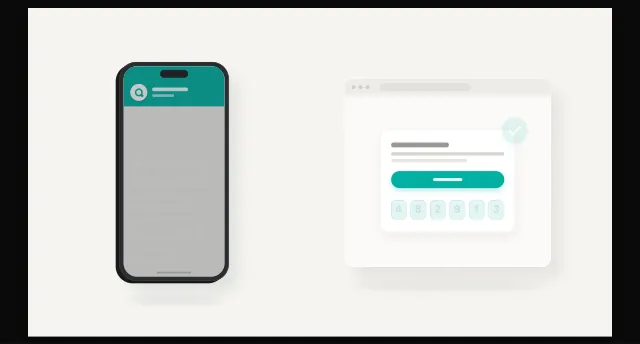
BothTalksTry generates the code, delivers it and checks it back. You never handle the code yourself, which means you cannot leak it.
# 1 — send the code. You never see it; only the recipient does.
curl -X POST /v1/otp/send \
  -H "Authorization: Bearer $ACCESS_TOKEN" \
  -H "Content-Type: application/json" \
  -d '{ "phone": "+919876543210", "template": { "name": "login_code" } }'

# 2 — check what they typed back.
curl -X POST /v1/otp/verify \
  -H "Authorization: Bearer $ACCESS_TOKEN" \
  -H "Content-Type: application/json" \
  -d '{ "phone": "+919876543210", "code": "482913" }'
A console account must name an approved authentication template — in the sandbox as well as live. A bare { phone } is refused with 400 template_required, and the response lists the templates you already have.
Register templates for anything but plain text
LiveA template is a body that has been approved — most are approved automatically, and a few wait for a person. Placeholders are {{1}}, {{2}} … numbered from 1, and your variables fill them by position.
A media header changes what is sent: an image header makes the message an image whose caption is your body, and a document header sends a PDF. That is how you send a banner, or an invoice with a note attached.
The template can carry a default file, and each send can replace it — either by uploading the file (POST /media, which returns an id you pass as header.mediaId), or by giving a link to a file you host (header.mediaUrl, https only). Uploads take PNG, JPG and WebP images up to 5 MB and MP4 or PDF up to 16 MB; the type is read from the file itself. The same file uploaded again returns the same id, and an id works for 30 days.
# Option A — upload the file once, send it by id.
curl -X POST /v1/media \
  -H "Authorization: Bearer $ACCESS_TOKEN" \
  -F "file=@./april-invoice.pdf" \
  -F "file_name=April invoice.pdf"
# → { "data": { "id": "media_36a57cb5582ea48c80b30646", "type": "document", ... } }

curl -X POST /v1/messages/send \
  -H "Authorization: Bearer $ACCESS_TOKEN" \
  -H "Idempotency-Key: invoice-2026-04-10432" \
  -H "Content-Type: application/json" \
  -d '{
    "to": "+919876543210",
    "template": {
      "name": "invoice_doc",
      "variables": ["April"],
      "header": { "mediaId": "media_36a57cb5582ea48c80b30646" }
    }
  }'

# Option B — a file you already host. Same request, a link instead of an id.
#   "header": { "mediaUrl": "https://cdn.yourapp.com/invoices/april.pdf", "mediaFileName": "april-invoice.pdf" }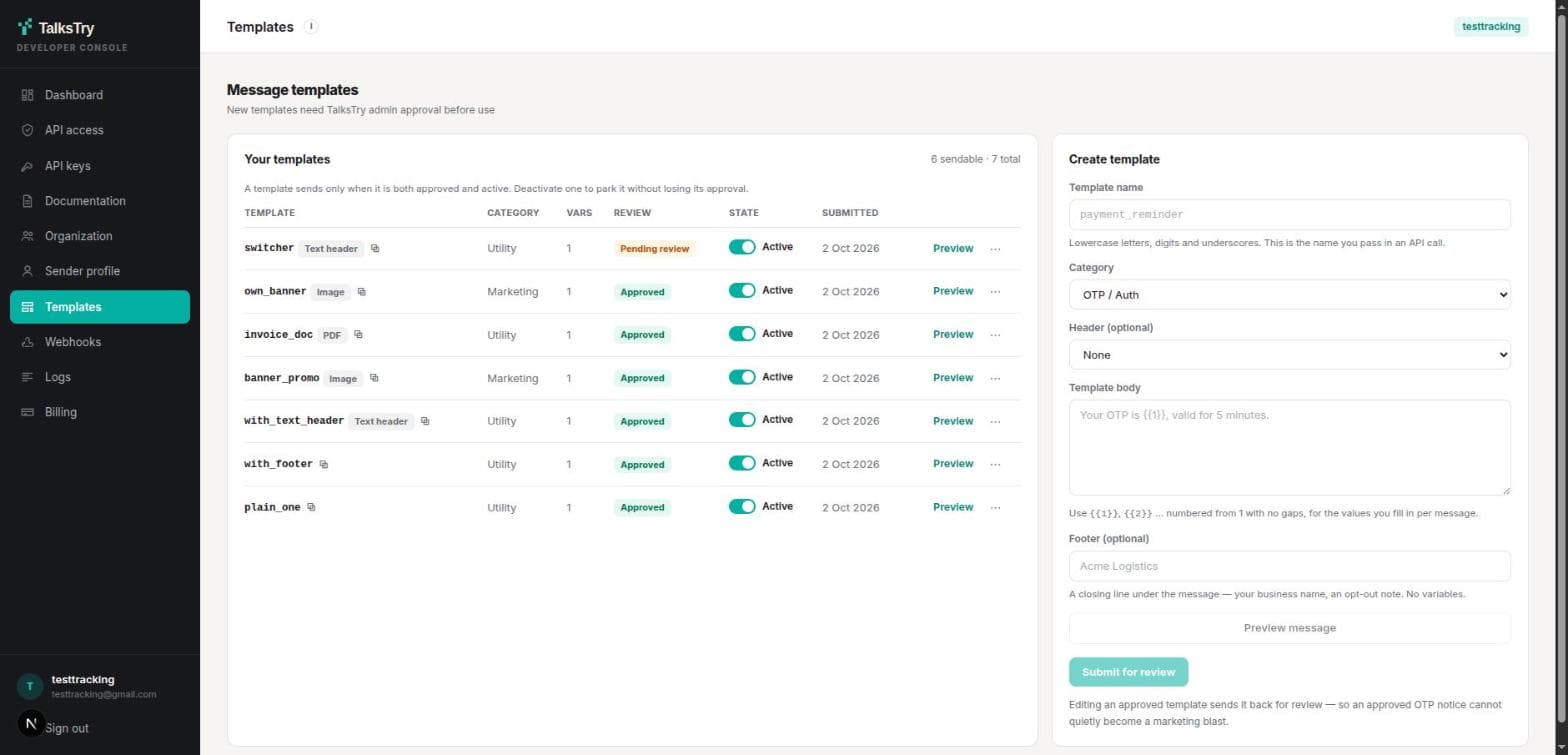
Subscribe to delivery receipts
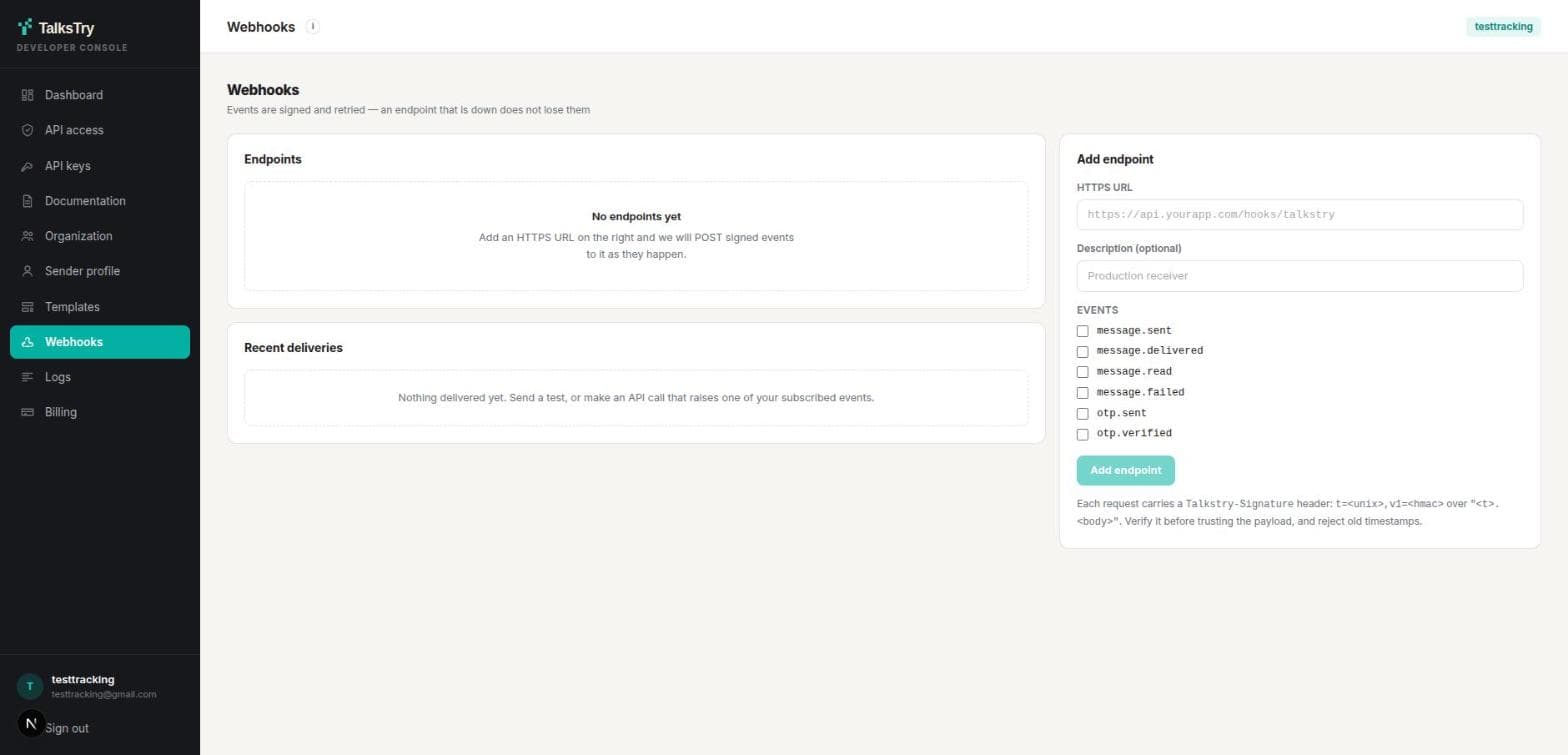
BothPolling works, but a webhook tells you the moment a message is delivered or read. Events are signed, retried with backoff, and may arrive more than once — so key on event.id and ignore repeats.
import crypto from "node:crypto";

// express.raw, not express.json: the signature covers the EXACT bytes we sent.
// Re-serialising a parsed object changes them and every check then fails.
app.post("/hooks/talkstry", express.raw({ type: "*/*" }), (req, res) => {
  const header = req.get("Talkstry-Signature") || "";
  const [t, v1] = header.split(",").map((part) => part.split("=")[1] || "");

  const expected = crypto
    .createHmac("sha256", process.env.TALKSTRY_WEBHOOK_SECRET)
    .update(`${t}.${req.body}`)
    .digest("hex");

  const fresh = Math.abs(Date.now() / 1000 - Number(t)) < 300;
  const signed =
    v1.length === expected.length &&
    crypto.timingSafeEqual(Buffer.from(v1), Buffer.from(expected));

  if (!signed || !fresh) return res.sendStatus(400);

  // Answer first, work later: we retry anything that is not a 2xx, and your
  // own slow handler should not look like an outage.
  res.sendStatus(200);

  const event = JSON.parse(req.body.toString());
  queue.add(event.id, event);   // events can repeat — key on event.id
});
Watch the logs when something looks wrong
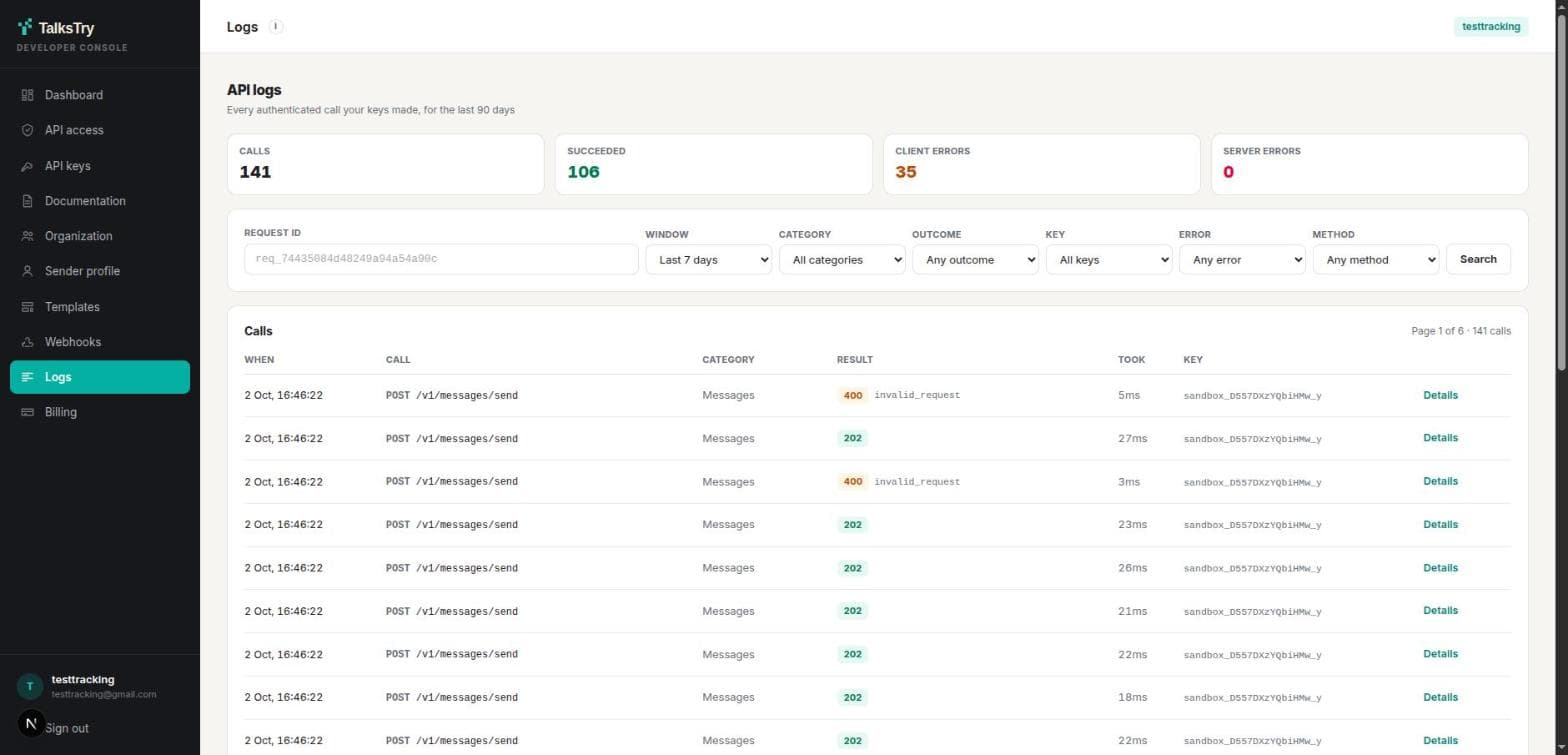
BothEvery response carries a Talkstry-Request-Id header, successes included. Log it. Paste one into the search box here and that exact call comes back, however old — a request id ignores the time window.
Open a row to see the error code the caller was given, how long the call took, and whether it counted against your allowance. Quote the request id when you ask us about a call.
Finish Go live
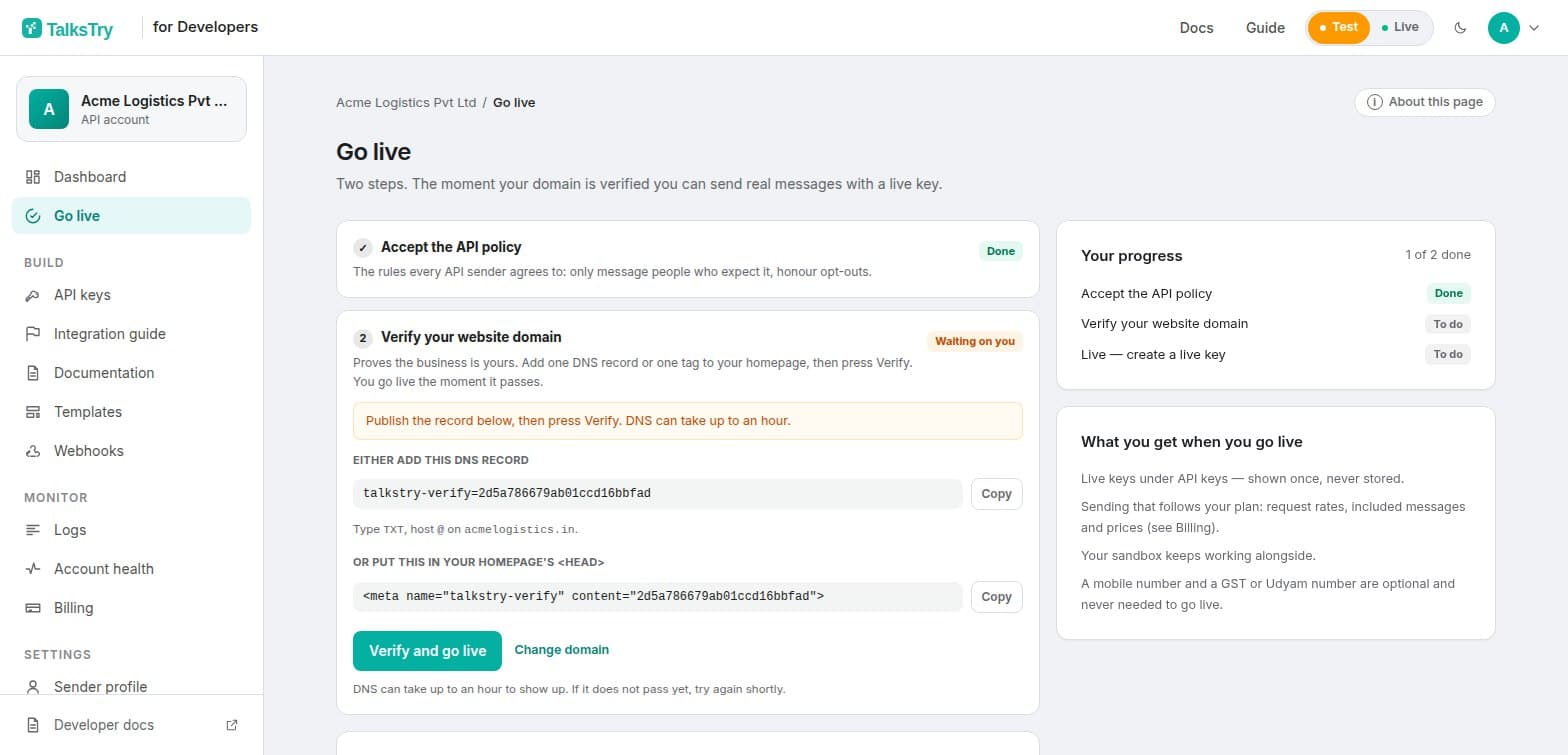
LiveIn the console, open Go live. Two things are required, and you do them yourself:
- Accept the API policy — the rules on consent and content your account is judged against.
- Verify your website domain — publish a DNS TXT record (the strongest proof), or a small file at /.well-known/talkstry-verification.txt, or a meta tag, then press Verify. A file or tag works at once; DNS can take up to an hour.
A mobile number and a GST or Udyam number are optional. The moment the last required check passes your account is live, and you can create a live key on the API keys page.
Verifying a domain proves who you are; it does not limit where your keys can be used. A key works from any of your servers, and every message it sends — from every system — counts toward the same account: one wallet, one set of limits, one quality record. Use a separate key per system so one leak is one revocation. Sending for more than one website or brand? Give each its own project (below).
A project is one product or brand: its own sender profile, its own verified domain, its own keys and webhooks. A key belongs to one project and sends as that project's brand, so Store B's customers never see Store A's name. Your first project uses the domain you just verified; every further project verifies its own domain before it can have a live key (test keys need none). Billing, go-live and limits stay with the account.
Add money to your wallet
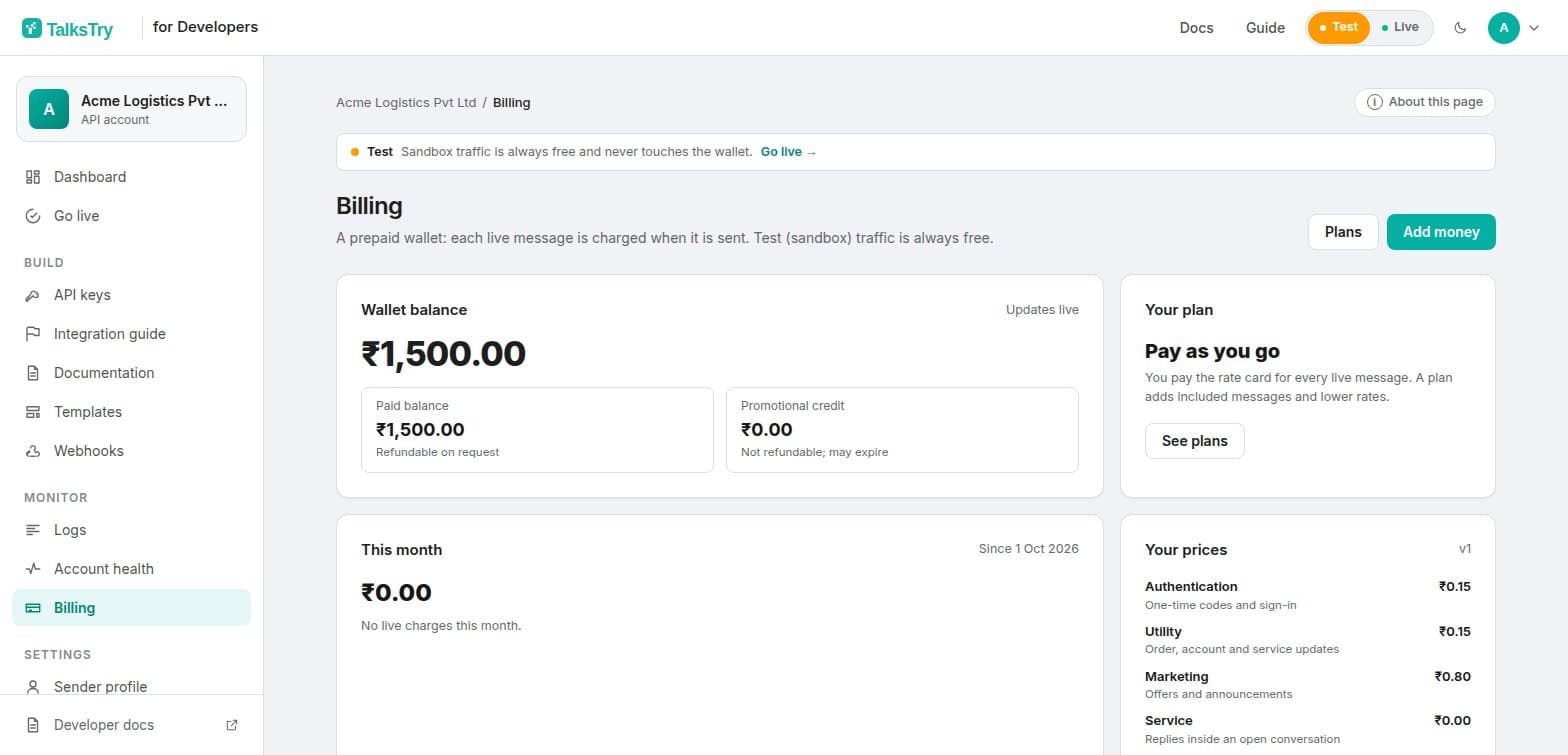
LiveSandbox messages are free; live messages are paid for, by message type, from your wallet. In the console open Billing and add between ₹100 and ₹5,00,000 by UPI, card or net banking (Razorpay). The balance is credited as soon as the payment is confirmed.
- Plans and free access — a plan gives better rates and can include messages; a free-access period makes sending free while it lasts.
- Your own cap — set a monthly spending cap, and get low-balance emails before it reaches zero.
- Paper trail — a GST invoice or receipt for every top-up, a monthly CSV statement, and your GSTIN and address under Billing details.
- Refunds — request one from Billing; a person reviews it and it goes back to the original payment method.
With nothing left to pay with, a live send is refused with 402 INSUFFICIENT_BALANCE and nothing is charged. Add money and retry with the same Idempotency-Key.
What happens on every send
Identical for a sandbox key and a live key. Only who you are allowed to reach differs.
Moving from sandbox to live
Your code does not change. Swap the client id and secret for the live pair, and check these before you turn it on:
- Go live is finished (policy accepted, domain verified), so the live option appears when you create a key.
- Your wallet has money, and you have set a monthly cap you are comfortable with.
- A sender profile exists — without one, every send is refused.
- One-time codes name an approved authentication template.
- Anything with an image, a PDF or marketing wording goes through a template.
- Your webhook verifies the signature and tolerates a repeated event.
- Idempotency keys come from business events, so a retry cannot double-send.
- Each system has its own key, kept in a secret store, not in the repository.
The full field-by-field contract — every endpoint, error code and rate limit — is in the API documentation.